Best Project Management Tools for QA Specialists in 2026
Your development team is focusing on rapid updates, and defects bounce between developers and testers on a regular basis? QA specialists need project management tools that can help orchestrate the testing lifecycle. This article evaluates 15 project management tools through a QA-specific perspective. Besides, it will guide you through the features that matter for testing workflows and how to build an effective stack connecting PM tools with test management and CI/CD systems.
The right PM tool for QA specialists depends on your specific needs: traceability requirements, team size, existing tech stack, and whether you need native test management or can integrate external tools.
Most effective QA teams use a stack approach, combining a PM tool like Jira or Azure DevOps with dedicated test management such as aqua.
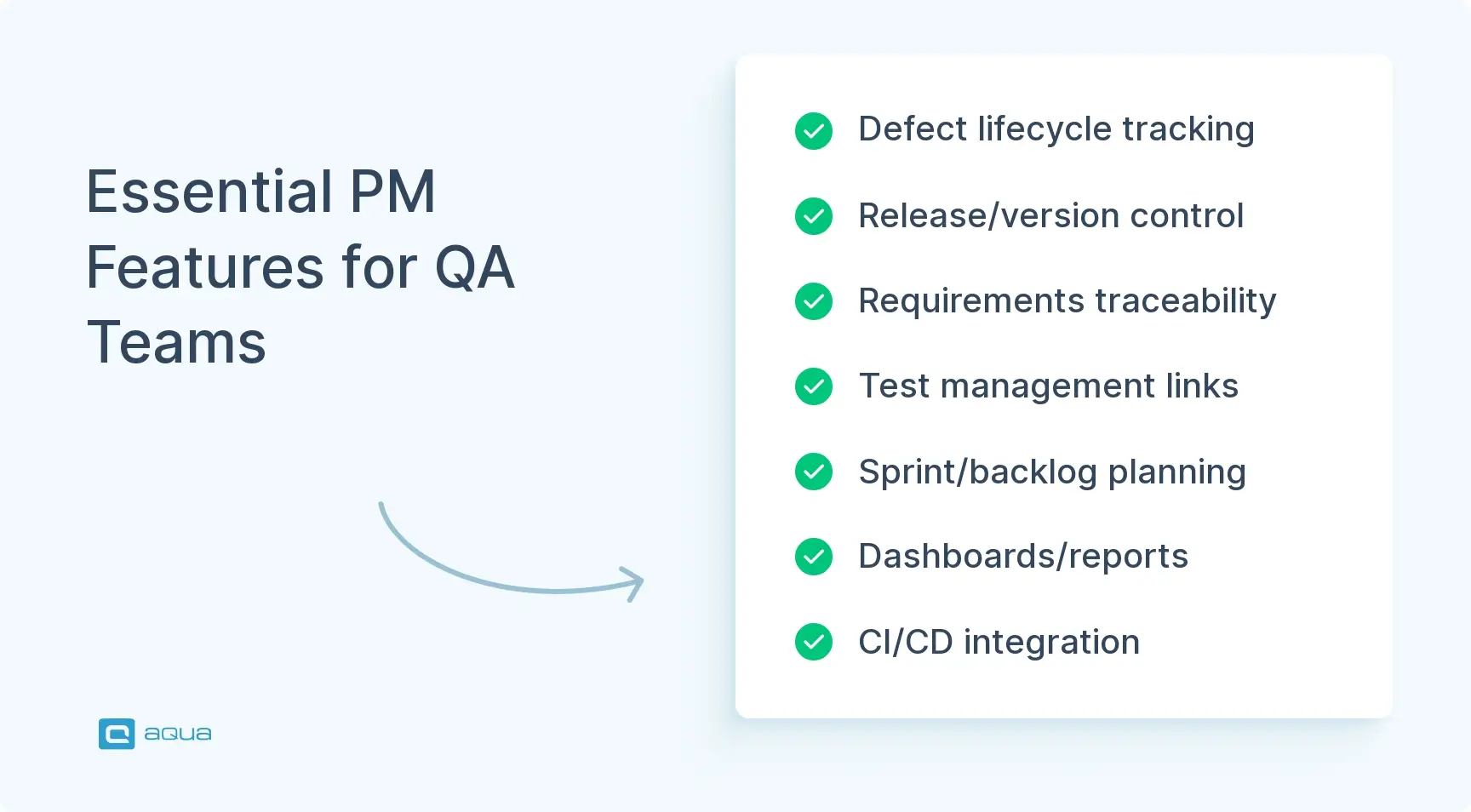
Essential PM features for QA include defect lifecycle management, release and version control, requirements traceability, sprint planning capabilities, and CI/CD integration.
Imagine spreadsheets are scattered across drives, and lots of tools are barely integrated. If so, you need a platform that can help you build a specific workflow for software quality 👇
Understanding What "Best" Means for QA Specialists
For QA specialists, a PM tool delivers value when it consistently provides these outcomes:
Zero ambiguity on release scope through clear version control and sprint tracking with real-time status visibility
Fast defect-to-fix loops with structured bug workflows and clear ownership, plus SLAs and smooth developer handoffs
End-to-end traceability with direct links from requirements to user stories. These links extend to test cases, defects, and releases
QA visibility without admin overhead using dashboards and filters that surface testing metrics without constant configuration
Strong automation, including auto-triage and intelligent routing, plus workflow enforcement that reduces manual work
Integration ecosystem with connections to test management platforms such as aqua cloud, Xray, or Zephyr. Additionally, connections to CI/CD tools like Jenkins and collaboration platforms like Slack
Most high-performing QA teams combine work tracking with dedicated test management and knowledge bases. The right tool becomes the orchestration layer that connects everything. When evaluating tools for project management for QA testers, focus on how well they support your testing workflows rather than general task tracking.
Key Features of Effective Project Management Tools for Testers
Out of the many project management tool features, here’s a list of the most important ones for your team:
Structured defect lifecycle management
Customizable bug workflows with clear states and automatic assignments are essential for your team. Look for SLA tracking and essential fields, including severity, priority, and environment. Build version, steps to reproduce, and root cause categorization complete the picture.
Release and version control
Answer “What’s in release 2.4.1?” instantly. Look for release planning views and version tagging. Deployment tracking showing what’s in production versus staging matters too for your release planning.
Requirements traceability
Every test should trace back to requirements. Every defect should link to impacted features. Support hierarchical relationships from Epic to Story to Task to Bug and visualize coverage gaps. Learn more about test case management best practices.
Test management integration
Integration with platforms like Xray or Zephyr allows test execution results to automatically update work item status. Connections with TestRail, qTest, or aqua complete the ecosystem for your team. Explore choosing the right test management system for your needs.
Sprint and backlog management
Sprint planning and burndown charts help you allocate testing capacity separately from development capacity. Velocity tracking provides insights into realistic sprint commitments for your team.
Reporting and dashboards
Real-time visibility into test execution progress and defect trends matters for your leadership. Coverage gaps and blocker status should be immediately visible. Critical metrics include defect leakage rate and test pass rate, plus cycle time for complete transparency.
CI/CD integration
Integration with pipelines automatically creates work items for test failures. It also updates defect status when fixes deploy. Learn about test automation tools that integrate with PM systems.
Dealing with lots of project management and QA tools reveals a common challenge: fragmentation between work tracking and requirements. aqua cloud, an AI-driven test and requirement management platform, solves this by unifying all three in one purpose-built environment. Unlike traditional PM tools that require expensive add-ons for test management, aqua delivers native test case repositories and defect management. The domain-trained AI Copilot learns from your project’s documentation to generate contextually relevant test cases in seconds. Your team gets real-time dashboards showing test progress and release readiness without jumping between multiple tools. For QA specialists tired of maintaining integrations between separate systems, aqua provides the unified solution that connects requirements to tests to defects seamlessly. Plus, aqua integrates bidirectionally with Jira and Azure DevOps. It also connects with GitHub, GitLab, and Jenkins, plus supports REST API for custom workflows.
Top 15 Project Management Tools for QA Specialists
When evaluating the best project management tools for testers, consider how each platform handles the unique demands of quality assurance workflows. The following cloud based project management tools for QA testers represent the top options available in 2026.
There are many good standalone test management solutions out there. All of them have their pros and cons, I’d really suggest registering a trial for all of them to see what fits your needs, if they have a demo project.
aqua cloud represents a different approach to quality management. Rather than forcing QA teams to cobble together separate tools for test management and project tracking, it delivers both capabilities in one purpose-built platform. Founded by quality assurance professionals who experienced firsthand the frustration of disconnected toolchains, aqua is specifically engineered to address the complete testing lifecycle from requirements through defect resolution.
Key Features for QA
Native test case management with comprehensive support for manual and automated testing, plus exploratory testing methodologies
Complete requirements traceability with bidirectional linking that creates audit trails from requirements through test execution to defects
Domain-trained AI Copilot that learns from your specific project documentation to generate contextually relevant test cases, reducing creation time by up to 43%
Built-in defect lifecycle management with fully customizable workflows that adapt to your process
Real-time test execution dashboards providing instant visibility into testing progress across all projects
Comprehensive REST API and native integrations with industry-standard tools, including Jira and Azure DevOps. Additional integrations include Jenkins, GitHub Actions, and GitLab CI
Full support for Agile and Scrum workflows with sprint planning and backlog management, plus velocity tracking
Test automation support with integration to popular automation frameworks
Intelligent test coverage tracking consistently achieves 95% coverage across projects
Collaboration tools, including contextual comments and file attachments, plus comprehensive activity feeds
aqua eliminates the fragmentation that plagues most QA workflows. Everything lives in one unified platform. Documenting requirements in Confluence becomes unnecessary with aqua’s complete traceability. The AI Copilot doesn’t generate generic test cases. It learns from your specific project context and coding standards, then creates relevant, detailed scenarios that reflect your actual requirements and business logic.
What truly sets aqua apart is its flexibility in working with your existing ecosystem. While it provides comprehensive PM capabilities, aqua integrates with tools like Jira and Azure DevOps. It also works with other platforms from this list. You can adopt aqua for its superior test management and AI capabilities while maintaining your existing project tracking workflows. Alternatively, your team can gradually transition to using aqua as your complete quality management solution. The platform serves both as a standalone QA powerhouse and as a complementary test management layer for teams committed to other PM tools.
Achieve 10x faster test case creation
Try aqua for free
Pricing
Subscription-based pricing scaled to team size and feature requirements. Free trial available for comprehensive evaluation.
Trade-offs
The comprehensive feature set means a learning curve compared to minimalist PM tools. However, if your QA team is serious about systematic testing and quality assurance, this depth represents the platform’s core value.
2. Jira Software
Developed by Atlassian in 2002, Jira Software has evolved from a bug tracking system into the standard for Agile software development teams worldwide. Its highly configurable nature allows teams to customize workflows and issue types. Jira remains one of the most popular online project management tools for testers despite requiring add-ons for full test management capabilities.
Key Features for QA
Highly customizable workflows and issue types, plus custom fields
Strong sprint planning with Scrum and Kanban board support
Extensive marketplace with test management integrations
Advanced JQL for complex filtering
Automation engine
Native Confluence integration
Pricing
Free tier available for small teams. Paid subscription plans available based on team size.
Trade-offs
Customization flexibility can lead to governance overhead with complex workflows. You’ll need ongoing admin attention to manage excessive custom fields. Your team requires test management add-ons for comprehensive QA capabilities, adding cost and complexity.
3. Azure DevOps Boards (+ Test Plans)
Microsoft’s Azure DevOps provides an integrated SDLC platform encompassing work tracking and test management, plus CI/CD and source control. Positioned as an enterprise solution for organizations standardized on Microsoft technologies, it emphasizes security and compliance. For teams seeking IT project management tools for QA testers within the Microsoft stack, Azure DevOps delivers native capabilities.
Key Features for QA
Native test management through Azure Test Plans
Built-in traceability from requirements to test cases to defects
Integration with Azure Pipelines for automated test results
Customizable process templates
Dashboards and widgets for real-time metrics
Enterprise security
Pricing
Free tier available for small teams. Subscription-based pricing with separate tiers for work tracking and test management features.
Trade-offs
The interface can feel heavier compared to modern competitors. You might still prefer external test management tools for advanced reporting capabilities despite having Test Plans available.
4. YouTrack
JetBrains’ YouTrack, introduced in 2008, positions itself as a developer-friendly alternative to Jira. Designed with software engineers in mind, it emphasizes speed and intuitive workflows with reduced administrative complexity.
Key Features for QA
Intuitive issue tracking with customizable fields
Built-in Agile boards with swimlanes
Command-based interface for power users
Knowledge base functionality
Time tracking and work item reporting
Integration with JetBrains IDEs
Pricing
Free version available for small teams. Subscription-based pricing for larger teams with volume discounts.
Trade-offs
The marketplace ecosystem is significantly smaller than Jira’s, limiting your options for native test management integration. Your team will typically need to integrate external test management platforms.
5. Linear
Founded in 2019 by former engineers from Airbnb and Coinbase, Linear represents the modern wave of PM tools built for speed-focused product teams. Prioritizing performance above extensive customization, the platform has gained rapid adoption among startups frustrated with traditional PM tool bloat. As one of the top project management tools for testers who value velocity, Linear excels at rapid issue tracking.
Key Features for QA
Fast performance and keyboard-first navigation
Clean UI with minimal configuration
Cycles for sprints with automatic scheduling
AI-assisted duplicate detection and intelligent routing
Native integrations with GitHub and GitLab, plus Figma and Slack
Public roadmaps
Pricing
Free tier available for individuals and small teams. Subscription-based plans for growing teams.
Trade-offs
The minimalist philosophy means limited customization options for your workflows. Your QA team requires external test management tools and must link test results via integrations.
6. Shortcut
Rebranded from Clubhouse in 2021, Shortcut positions itself as project management for software development teams who need more structure than Linear but less complexity than Jira. The platform emphasizes iterations and milestones without overwhelming teams with configuration options.
Key Features for QA
Stories and epics with iterations for Agile workflows
Customizable workflows per team
Roadmap and milestone tracking
Integration with GitHub and GitLab
Iteration velocity and burndown reporting
Slack integration
Pricing
Free tier available for small teams. Subscription-based pricing for larger teams.
Trade-offs
Lacks native test case management capabilities. Your QA team needs external tools for comprehensive test repositories and execution tracking.
7. GitHub Projects
GitHub Projects evolved from basic kanban boards into a sophisticated project management layer built atop GitHub Issues and Pull Requests. Launched by Microsoft-owned GitHub, it targets development teams for whom source control is the gravitational center of work. The platform keeps project planning intimately connected to code.
Key Features for QA
Native integration with GitHub Issues and PRs, plus repositories
Table and board views, along with roadmap views
Custom fields for tracking metadata
Automation for issue and PR status updates
GitHub Actions integration
Iteration tracking
Pricing
Included with GitHub accounts. Various GitHub subscription tiers available.
Trade-offs
Optimized for code-centric workflows. If you require formal test case repositories and detailed test execution tracking, you’ll find it limited compared to dedicated test management platforms.
8. ClickUp
Founded in 2017, ClickUp markets itself as an all-in-one workspace consolidating project management and documentation. The platform offers extensive customization targeting teams frustrated by tool sprawl.
Key Features for QA
Multiple view types like List and Board, plus Calendar and Gantt
Custom fields and statuses
Task dependencies and subtasks
Built-in documentation
Automation and workflow rules
Forms for bug reporting
Integration marketplace
Pricing
Free plan available with limited features. Subscription-based paid plans with progressively advanced features.
Trade-offs
The extensive feature set can overwhelm users. While versatile, it’s not purpose-built for your QA workflows like dedicated test management platforms. Your team requires configuration investment to prevent organizational chaos.
9. monday.com
Launched in 2012, monday.com emphasizes visual, collaborative project management accessible to both technical and non-technical teams. With its colorful interface and extensive automation, it targets cross-functional collaboration scenarios.
Key Features for QA
Highly visual boards with customizable columns
Automation templates
Forms for bug reporting and UAT feedback
Timeline and Gantt views
Integration marketplace
Dashboard creation
Pricing
Free tier for individuals. Subscription-based pricing for teams with various feature tiers.
Trade-offs
Not designed as an engineering work tracking system. Most teams maintain Jira or Azure DevOps as system of record and use monday.com for stakeholder coordination. Lacks native test case management for your QA processes.
10. Asana
Founded in 2008 by Facebook co-founder Dustin Moskovitz, Asana provides flexible work management emphasizing clarity and collaboration. Positioned as work management for everyone from marketing to engineering, Asana balances ease of use with capability.
Key Features for QA
List and board views, plus timeline and calendar views
Task dependencies and milestones
Custom fields for test status tracking
Forms for bug intake and UAT feedback
Workload and resource management
Goals and progress tracking
Automation rules
Pricing
Free tier available. Subscription-based pricing for teams with progressively advanced features.
Trade-offs
Functions better as a coordination layer than an engineering system of record. Lacks native test case management and deep developer workflows. Suited for your UAT orchestration and stakeholder visibility needs.
11. Trello
Acquired by Atlassian in 2017, Trello popularized the kanban board interface for project management. With its simple board-list-card metaphor, Trello serves teams wanting intuitive coordination without workflow complexity.
Key Features for QA
Intuitive board and card interface
Custom fields and labels
Checklists for test steps
Power-Ups for extended functionality
Butler automation
Integration options
Pricing
Free plan available. Subscription-based paid plans with additional Power-Ups and features.
Trade-offs
Simplicity limits capability. No native test case management or limited reporting. Not suitable as a replacement for serious test management if your team needs comprehensive work tracking systems.
12. Wrike
Founded in 2006, Wrike targets mid to large organizations requiring enterprise work management with project portfolio management. Positioned as a comprehensive solution for cross-departmental collaboration, it emphasizes visibility across complex portfolios. Wrike serves as one of the best online project management tools for QA testers managing multiple concurrent projects.
Key Features for QA
Custom workflows and statuses
Gantt charts and timeline views
Resource management and workload balancing
Request forms for bug intake
Proofing and approval workflows
Advanced reporting
Enterprise security
Pricing
Free plan for small teams. Subscription-based pricing with enterprise tiers available.
Trade-offs
Enterprise focus means it can feel heavyweight for your small team with steeper learning curves. Like other general PM tools, you’ll require separate test management platform integration for comprehensive QA workflows.
13. Smartsheet
Launched in 2005, Smartsheet creates a unique hybrid between spreadsheet interfaces and project management capabilities. It particularly resonates with teams in construction and manufacturing where spreadsheet workflows dominate.
Key Features for QA
Grid and Gantt views, plus card and calendar views
Automated workflows and alerts
Forms for bug reporting
Dashboards and reporting
Resource management
Integration with enterprise tools
Pricing
Free plan for individuals. Subscription-based pricing for teams with enterprise tiers available.
Trade-offs
Not purpose-built for software development workflows. You’ll find traceability and dev tool integration less sophisticated than engineering-focused platforms like Jira or Azure DevOps.
14. Basecamp
Founded in 1999, Basecamp pioneered simplified project management focused on communication over process complexity. The platform deliberately avoids features like Gantt charts and dependencies, emphasizing message boards and to-do lists instead.
Key Features for QA
Message boards for discussions
To-do lists for task tracking
Schedules with milestones
Document and file storage
Group chat called Campfire
Flat pricing model
Pricing
Free version for individuals. Flat-rate subscription for unlimited users.
Trade-offs
Not suitable for your QA team if you require high-end traceability and all-in-one test management. No complex workflows or custom fields. You won’t find advanced reporting or native integration with development tools.
15. Notion
Founded in 2016, Notion provides flexible building blocks that teams assemble into custom workflows. It appeals to teams wanting to tailor their tools rather than adapt to opinionated platforms.
Key Features for QA
Flexible page and database structure
Board and table views, plus calendar and timeline views
Relational databases for linking items
Wiki and documentation capabilities
Templates for repeatable workflows
API for custom integrations
Pricing
Free plan for individuals. Subscription-based pricing for teams with enterprise options available.
Trade-offs
You’ll need significant setup investment to build PM systems from components. No native dev tool integration or workflow automation compared to purpose-built PM platforms. Risk of over-customization creating maintenance overhead for your team.
It has always been build vs buy. Sometimes the best solution is to find out your workflow first and then identify the tool. Just spend a month build your own simple test management tool.
Here’s a short comparison table for you to quickly evaluate providers from the list:
Tool
Best For
Test Management
Traceability
Key Strength
aqua cloud
Comprehensive QA
Native + AI-powered
Excellent
Unified test + PM platform
Jira Software
Enterprise Agile
Via add-ons
Excellent
Customization + ecosystem
Azure DevOps
Microsoft SDLC
Native (Test Plans)
Excellent
Enterprise integration
YouTrack
Dev-friendly teams
External integration
Good
Simplicity vs Jira
Linear
Fast-moving startups
External integration
Good
Speed + modern UX
Shortcut
Mid-size software teams
External integration
Good
Balance simplicity/capability
GitHub Projects
Code-centric teams
External integration
Good
Tight code integration
ClickUp
All-in-one seekers
External integration
Moderate
Feature breadth
monday.com
Cross-team coordination
External integration
Moderate
Visual stakeholder views
Asana
UAT orchestration
External integration
Moderate
Non-technical accessibility
Trello
Lightweight tracking
External integration
Basic
Visual simplicity
Wrike
Enterprise portfolios
External integration
Good
Resource management
Smartsheet
Spreadsheet thinkers
External integration
Moderate
Familiar grid interface
Basecamp
Communication focus
External integration
Basic
Flat pricing model
Notion
Custom workflows
External integration
Moderate
Flexibility
How to Choose the Right PM Tool for Your QA Team
Use this QA-weighted scoring framework with 100 points total:
1. Defect flow excellence: 15 points for statuses and assignment rules, plus SLAs, severity and priority hygiene
2. Sprint and release management: 15 points for backlog grooming and versioning, plus clarity on what’s in each release
3. Traceability: 15 points for requirement to story to test to defect to release links
4. Test management fit: 15 points for native or integrated test plans and cases, plus runs
5. Automation and integrations: 15 points for CI/CD and chatops, plus APIs and webhooks
6. Reporting for QA leadership: 10 points for cycle time and defect leakage, plus readiness dashboards
7. Stakeholder usability: 10 points for UAT users and business sign-off experience
8. Admin overhead: 5 points for maintenance effort over time
Quick decision guide for what are project management tools for testers that match your needs:
If traceability and test management integration are your priorities, consider Jira with test add-ons or Azure DevOps with Test Plans. aqua cloud also fits this category.
If speed and simplicity dominate your requirements, look at Linear or Shortcut. YouTrack offers similar benefits.
If cross-team UAT orchestration dominates, evaluate Asana or monday.com for your stakeholder coordination.
If your team lives in GitHub, try GitHub Projects.
If you need test management and PM in one platform, choose aqua cloud.
Looking to the best project management tool without obligations?
Building an effective QA stack typically means juggling multiple tools and maintaining complex integrations. aqua cloud, an AI-powered test and requirement management solution, eliminates this complexity. While other platforms force you to choose between native PM features or external test management, aqua excels at both while integrating smoothly with your existing ecosystem. The AI Copilot generates test cases faster by learning your project’s specific context and business logic. Teams report achieving 95% test coverage and reducing defect leakage to production. Whether you adopt aqua as your complete quality management solution or use it alongside existing PM tools like Jira or Azure DevOps, you get complete requirements traceability and automated test generation. Real-time quality metrics complete the picture. aqua connects with Jira and Azure DevOps, plus Jenkins and GitHub Actions. GitLab CI and 12+ other tools ensure it fits seamlessly into your workflow.
The right PM tool for your QA team eliminates friction from your defect-to-fix cycle and maintains clear traceability. Integration with test management and CI/CD matters too. aqua cloud combines test management with PM capabilities in one unified platform. Traditional platforms like Jira and Azure DevOps work well for enterprise governance when paired with test management add-ons. Fast-moving teams often prefer Linear or Shortcut. YouTrack offers similar benefits. Think in stacks rather than standalone tools, combining work tracking with test management and CI/CD integration. Start by assessing your pain points and let your specific challenges guide tool selection.
How can project management tools improve collaboration within QA teams?
PM tools improve QA collaboration by centralizing communication around work items. Your team members get automatic notifications when status changes. Transparency helps everyone see whats being tested, whats blocked, and who owns each issue. This prevents duplicated effort and ensures proper handoffs between testers, developers, and stakeholders in your organization.
What features should QA specialists look for in a project management tool?
You should prioritize structured defect lifecycle management with customizable workflows. Requirements traceability linking requirements through tests to defects matters too. Release and version control, test management integration with platforms like aqua or TestRail, sprint planning with testing capacity tracking, and CI/CD integration linking test results to work items complete the essentials. Reporting dashboards for real-time quality metrics round out the feature set you need.
Can project management tools integrate with existing test automation frameworks?
Most modern PM tools integrate with test automation frameworks through CI/CD pipelines. Tools like Jenkins and GitHub Actions automatically create work items for your failed tests. Azure Pipelines offers similar capabilities. They update defect status when fixes deploy and link test execution results to requirements. aqua cloud, Jira, and Azure DevOps offer particularly strong automation integration through REST APIs and webhooks for your team.
What's the difference between PM tools with native test management versus integration approaches?
Native test management like aqua cloud or Azure Test Plans provides built-in test case repositories and execution tracking. Traceability within one platform reduces tool sprawl for your team. Integration approaches such as Jira with Xray add-ons offer flexibility to choose specialized test management tools but require you to manage separate licenses. Youll need to maintain integrations and handle data synchronization across platforms, adding complexity. Native solutions typically provide tighter workflow integration while add-on approaches allow you to select specialized tools.
Enhancement of the aqua product is Martin’s main responsibility and biggest mission. His expertise covers ITIL Process Consulting, Change Management, Quality Assurance, Quality Management, and Requirements Management. Martin works in QA services for regulated industries for more than 18 years being an irreplaceable leader at…
Pavel, a Quality Assurance Consultant and Author, brings deep expertise to solving complex testing challenges. His background in software development has helped organizations transform their QA practices from reactive to proactive. Beyond consulting, Pavel develops best practice guides and case studies for aqua cloud that…
Home » Test Automation » Best Project Management Tools for QA Specialists in 2026
Do you love testing as we do?
Join our community of enthusiastic experts! Get new posts from the aqua blog directly in your inbox. QA trends, community discussion overviews, insightful tips — you’ll love it!
We're committed to your privacy. Aqua uses the information you provide to us to contact you about our relevant content, products, and services. You may unsubscribe from these communications at any time. For more information, check out our Privacy policy.
X
🤖 Exciting new updates to aqua Intelligence are now available! 🎉