Positive vs Negative Testing: Understanding the Key Differences
Picture this: Your team just deployed what you thought was bulletproof code. Five minutes later, a user types "pizza" into a quantity field, and your entire checkout system crashes. Meanwhile, across town, another developer is watching their app handle every curveball users throw at it, even the ridiculous ones. What's the difference? One team tested like their users would behave perfectly. The other tested like their users were potential chaos embracers. Spoiler alert: The difference between these two approaches will transform how you think about breaking things. In this article, we discuss positive and negative testing, so get ready to learn everything about these two approaches.
Positive testing is like checking if your app works when everything goes according to plan. It’s the “happy path” testing where you validate that your software behaves correctly under ideal, expected conditions.
Purpose of Positive Testing
Positive testing confirms that your application works as designed when users follow the rules. It’s about making sure the core functionality delivers on its promises.
When you perform positive testing, you’re essentially asking: “Does this feature work when used exactly as intended?” You’re checking that the software meets its requirements and that users can complete tasks when they follow the expected workflow.
Think of positive testing as making sure your car drives properly when you follow all the traffic rules: staying in your lane, obeying speed limits, and using turn signals correctly. You’re not trying to break anything; you’re verifying that everything functions when used properly.
Example of Positive Testing
Let’s say you’re testing a login form. Positive testing would involve scenarios like:
Valid credentials test: Enter “john@company.com” and “SecurePass123!”, the system should authenticate instantly and redirect to the dashboard without errors or delays.
Login button functionality: Click the primary login button after entering the correct credentials. Verify it triggers authentication, shows appropriate loading states, and doesn’t allow double-submission.
Post-login navigation: Confirm users land on their personalised dashboard with correct user data, proper navigation menu, and no broken elements or missing permissions.
“Remember me” persistence: Check the checkbox, log out, return to the site, and your credentials should auto-populate, and you should stay logged in across browser sessions for the expected duration.
Password masking security: Verify that password characters appear as dots or asterisks as you type, can’t be copied to the clipboard, and don’t appear in browser developer tools or form data.
Take an e-commerce checkout flow as another example. Positive tests would include:
Adding items to the cart
Entering valid shipping information
Submitting payment with valid credit card details
Confirming that the order completes successfully
Verifying that order confirmation emails are sent
Positive testing forms the foundation of your testing strategy. It ensures that your application’s primary functions work correctly for users who follow the expected path. Without solid positive testing, you can’t be confident in your software’s basic functionality.
What is Negative Testing?
Negative testing is where you intentionally try to break your application by doing things users shouldn’t do, but inevitably will. It’s about predicting user errors, unexpected inputs, and edge cases to ensure your application handles them gracefully. Software negative testing is essential for identifying potential vulnerabilities before they become problems.
While understanding positive and negative testing concepts is straightforward, implementing them presents significant challenges. Teams often struggle with creating comprehensive test cases that cover both valid and invalid scenarios, tracking which negative edge cases have been tested, and ensuring consistent execution of both testing types across different components. Without proper organisation, negative testing scenarios, which are often more complex and numerous than positive ones, frequently get overlooked or poorly documented. This leads to gaps in test coverage that can result in production failures.
This is where a robust Test Management System (TMS) becomes crucial for balanced positive and negative testing strategies. aqua cloud’s AI-powered test case generation can rapidly create both positive and negative test scenarios in seconds, delivering comprehensive coverage of valid inputs and edge cases. Its centralised hub manages both manual and automated testing efforts, while native integrations with tools like Jira, Selenium, and Jenkins maintain complete traceability across all test types. With aqua cloud’s bug-tracking and recording capabilities, you can efficiently capture and correlate defects discovered through negative testing. Ensuring both successful validations and failure scenarios are properly documented and tracked will become a breeze with aqua. So what’s keeping you from trying it out?
Cover 100% of your both positive and negative tests effortlessly
The main goal of negative testing in software testing is to prevent your application from crashing, corrupting data, or exposing security vulnerabilities when faced with invalid inputs or unexpected scenarios.
Negative testing answers questions like: “What happens when users do something they’re not supposed to do?” or “How does the system respond when something goes wrong?” This approach helps you build resilience into your software by identifying potential failure points before users encounter them.
Unlike positive testing (which confirms things work), negative testing confirms that things fail correctly. It’s like making sure your car’s airbags deploy properly during a collision – you hope users never experience it, but you want proper safeguards in place if they do.
Example of Negative Testing
For a login form, negative testing scenarios might include:
Invalid credentials handling: Enter “fake@email.com” with “wrongpass” – the system should show a clear error message, not reveal whether the username or password was incorrect, and implement rate limiting after multiple attempts.
Empty field validation: Submit the form with blank username/password fields – verify that appropriate field-specific error messages appear instantly, form submission is blocked, and focus moves to the first empty required field.
Input length boundary testing: Paste a 10,000-character string into the username field – the system should either truncate input gracefully, show a character limit warning, or handle the oversized data without crashing or causing database errors.
SQL injection prevention: Enter ‘; DROP TABLE users; — in the username field – the system should treat this as literal text, not execute any database commands, and either sanitize the input or safely reject it with an error message.
Authentication bypass attempts: Manually edit browser cookies or localStorage tokens, or try accessing protected URLs directly – the system should detect invalid/expired tokens, redirect to login, and never grant unauthorised access to user dashboards.
For an e-commerce checkout system, negative tests could include:
Entering invalid credit card numbers
Using expired credit cards
Attempting to order negative quantities
Submitting special characters in shipping address fields
Testing what happens when the payment processor is down
A good negative testing approach anticipates user mistakes and system failures. It helps create a more robust application that can handle unexpected inputs and scenarios, making for a better user experience even when things don’t go as planned. Negative testing in software is particularly important for security-critical applications where failure can have serious consequences.
Key Differences Between Positive and Negative Testing
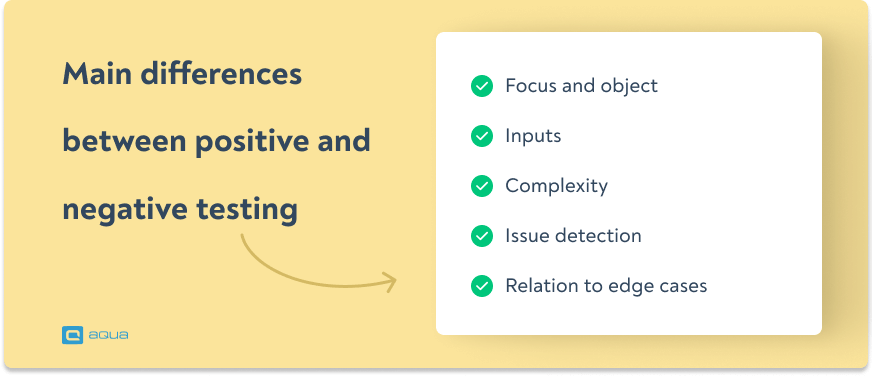
Now that you’ve seen how both approaches should work, you might be wondering: what exactly sets them apart? While positive and negative testing both aim to improve software quality, they take fundamentally different paths to get there. Think of them as two investigators working the same case, one follows the evidence where it leads, the other assumes everyone’s lying and digs for what’s hidden. Understanding these differences helps you develop a comprehensive testing strategy that balances both approaches for optimal software quality. The relationship between positive and negative testing is complementary rather than competitive.
Focus and Objective
Positive Testing:
Focused on validating that the software works correctly with valid inputs
Aims to confirm that the firm’s expected functionality works as designed
Picture an experienced QA engineer staring at a new feature, coffee in hand, wondering: “Do I test this like a careful user or like a digital vandal?” The answer isn’t always obvious, and choosing wrong can mean the difference between catching a critical bug and shipping a ticking time bomb. Here’s your decision-making playbook for navigating these crucial moments:
Evaluation Criteria for Choosing Testing Approaches
Use Positive Testing When:
Validating core functionality during initial development
Confirming that new features meet basic requirements
Demonstrating functionality to stakeholders or clients
Use Negative Testing When:
Assessing security vulnerabilities
Testing input validation and error handling
Evaluating system stability under unexpected conditions
Working with features that handle sensitive data or transactions
Testing integrations with external systems
Preparing for production deployment
Dealing with features used by diverse user groups
Consider Both When:
The feature has high visibility to users
The functionality handles financial transactions
There are complex data transformations
The feature interacts with multiple systems
You’re working in highly regulated industries
Time or resources are limited and you need to prioritise
Positive and negative testing in software testing should be viewed as complementary approaches, as each one addresses different aspects of application quality. The implementation of negative testing in software should focus on validating how well your application handles unexpected scenarios.
Phase of Development
Imagine your software as a house being built. You wouldn’t install the security system before laying the foundation, right? Different phases of development call for different testing strategies, and timing your approach wrong is like painting the walls before fixing the plumbing. Here’s how to sync your testing strategy with your development timeline:
Early Development Phases:
Start with positive testing to verify that core functionality works
Implement basic negative tests for critical input validation
Focus on building a solid foundation before exploring edge cases
Mid-Development Phases:
Balance positive and negative testing
Expand negative testing to include more edge cases and error conditions
Use feedback from early testing to refine both approaches
Pre-Release Phases:
Comprehensive positive testing to ensure all requirements are met
Intensive negative testing to uncover potential issues before users do
Penetration testing and security-focused negative tests
Load testing with both valid and invalid scenarios
Maintenance Phases:
Regular positive tests as regression testing
Targeted negative tests when bugs are reported
New negative test scenarios based on actual user behaviour
Decision Framework for Test Selection
Every feature lands on your desk with its own personality: some are straightforward team players, others are complex troublemakers waiting to cause chaos. Smart testers know that a one-size-fits-all approach is incomplete and will bring a lot of problems later. You need a systematic approach to sizing up each feature and choosing your testing weapons accordingly. To help determine which testing approach to use, consider this flowchart-inspired decision process:
1. Identify the feature’s risk level
High risk (financial, security, data integrity) → Need both, with extensive negative testing
Medium risk → Balance of positive and negative tests
Low risk → Primarily positive tests with basic negative tests
2. Evaluate the feature’s complexity
Complex features with many variables → More negative testing
Simple, straightforward features → Focus on positive testing
3. Consider user impact
Features used by all users → Both testing types
Admin or internal features → Focus on positive testing
Features handling sensitive information → Enhanced negative testing
4. Assess time constraints
Limited time → Focus on positive tests for core functionality
Adequate time → Comprehensive coverage with both approaches
5. Review resources available
Experienced testers → More sophisticated negative testing
Remember that the most effective testing strategies incorporate both positive and negative testing in proportions appropriate to your specific project’s needs. For critical systems, negative test case development deserves just as much attention as positive scenario testing.
The decision-making process for when to implement positive versus negative testing becomes even more complex in real-world scenarios. Here, you must balance thorough testing with project timelines and resource constraints. Many teams struggle with prioritising which negative test cases to execute first, tracking the effectiveness of their positive testing coverage, and ensuring that both testing types are consistently applied across different development phases.
Modern test management platforms like aqua cloud address these challenges by providing intelligent test planning and execution capabilities. aqua cloud’s 100% traceability and coverage visibility help you identify gaps in both positive and negative testing scenarios, while its AI-powered capabilities (super-fast test case, test data, and requirements creation) allow you to create optimal test case combinations. The platform’s seamless integration with automation tools like Selenium, Jenkins, and Ranorex enables teams to efficiently execute repetitive positive tests while dedicating manual testing resources to complex negative scenarios. With 100% visibility into test execution progress and results correlation, aqua cloud ensures that both positive and negative testing strategies are implemented systematically and effectively throughout the development lifecycle.
Streamline your positive and negative test management with 100% AI-powered solution
Integrating Positive and Negative Testing in Your Strategy
Creating a balanced testing approach means strategically combining both methodologies for maximum effectiveness. Positive and negative testing in software testing complement each other and should be used together.
Building a Comprehensive Test Plan
A well-rounded test strategy should:
Start with positive testing to establish a baseline of functionality
Layer in negative testing to strengthen the application’s defenses
Prioritize critical paths for both positive and negative approaches
Allocate adequate time for both test types in your test plan
Document expected outcomes for both valid and invalid scenarios
Try this approach when creating your test plan:
Map out all core user journeys (positive tests)
For each journey, identify potential failure points
Create negative tests for each failure point, including examples of negative test cases
Prioritize based on risk and user impact
Automate repeatable tests where possible
Schedule regular reviews of both test types
Automation Considerations
You’ve probably heard the age-old QA dilemma: “Automate everything!” sounds great until you realize some tests fight automation like a cat fights a bath. The truth is, positive and negative tests each have their own automation personalities – some practically automate themselves, while others need the human touch. Here’s how to build an automation strategy that plays to each approach’s strengths. Both positive and negative testing benefit from automation, but in different ways:
Positive Test Automation:
Excellent for regression testing
Easier to automate due to predictable outcomes
Creates a safety net for future development
Often implemented as end-to-end tests
Negative Test Automation:
Great for input validation testing
Can be parameterized for many invalid input combinations
Useful for repeated security testing
Often implemented as unit or API tests
A balanced automation strategy might look like:
Automate 80-90% of positive test cases
Automate common negative scenarios (invalid inputs, empty fields)
Manually test complex negative scenarios that are difficult to automate
Use property-based testing for generating varied invalid inputs
Real-world Testing Balance
Walk into any QA team meeting and you’ll hear the eternal question: “How much testing is enough?” The answer changes depending on whether you’re protecting someone’s credit card or their high score in Candy Crush. Industry experts know that getting this balance wrong can mean the difference between sleeping soundly and getting 3 AM phone calls about broken systems. Here’s what the testing ratios look like across different industries. Different product types require different positive/negative testing ratios:
The ideal ratio depends on your specific product, risk tolerance, and user expectations. When implementing negative testing in software, it’s important to understand what is negative testing means in the context of your specific application domain.
Conclusion
Positive and negative testing are complementary techniques that together create a robust quality assurance strategy. Like checking both the locks and the alarm system in your home, they secure your application from different angles.The most effective testing strategies include both approaches in a balanced way, adjusted for your specific application’s risk profile and user needs. By understanding when and how to apply each testing type, you’ll build more resilient applications that can stand up to real-world use. Remember, your users will inevitably find ways to use your software that you never anticipated. By combining positive testing’s validation of the expected with negative testing’s exploration of the unexpected, you’ll catch more issues before release and deliver a more polished product to your users.
What is positive and negative testing in software testing?
Positive testing verifies that an application works correctly with valid inputs and expected conditions – it checks that the software does what it should. Negative testing validates how an application handles invalid inputs and unexpected conditions – it checks that the software doesn’t do what it shouldn’t. Together, they form a complete picture of application quality and reliability.
What is a negative scenario in software testing?
A negative scenario in software testing is a test case designed to check how the system handles invalid inputs, unexpected user behavior, or error conditions. Examples include submitting a form with invalid data, testing what happens when a required service is unavailable, or attempting unauthorized access to protected features. Negative scenarios help ensure the application fails gracefully rather than crashing when things go wrong.
What is negative testing meaning and why is it important?
Negative testing meaning refers to the process of testing an application with invalid inputs or under unexpected conditions to ensure it handles errors gracefully. It’s important because it helps identify vulnerabilities, improves error handling, and ensures the system remains stable even when users don’t follow expected paths. Negative testing in software is crucial for building robust, user-friendly applications.
How does negative testing in software compare to positive testing?
When comparing negative testing vs positive testing, the key difference is in their objectives. Positive testing confirms that features work correctly under ideal conditions, while negative testing in software testing ensures the application handles unexpected inputs and conditions appropriately. Both are essential parts of a comprehensive testing strategy, with negative testing focusing on preventing failures and positive testing verifying functionality.
Enhancement of the aqua product is Martin’s main responsibility and biggest mission. His expertise covers ITIL Process Consulting, Change Management, Quality Assurance, Quality Management, and Requirements Management. Martin works in QA services for regulated industries for more than 18 years being an irreplaceable leader at…
Nurlan, a QA Coordinator & Quality Standards Officer, takes pride in orchestrating seamless QA operations. His expertise in coordinating QA-focused projects and integrating QA solutions has consistently yielded top-tier client satisfaction. Aside from a full-time QA coordinator, Nurlan's role involves creating compelling content that educates…
Home » Test Automation » Positive vs Negative Testing: Understanding the Key Differences
Do you love testing as we do?
Join our community of enthusiastic experts! Get new posts from the aqua blog directly in your inbox. QA trends, community discussion overviews, insightful tips — you’ll love it!
We're committed to your privacy. Aqua uses the information you provide to us to contact you about our relevant content, products, and services. You may unsubscribe from these communications at any time. For more information, check out our Privacy policy.
X
🤖 Exciting new updates to aqua Intelligence are now available! 🎉